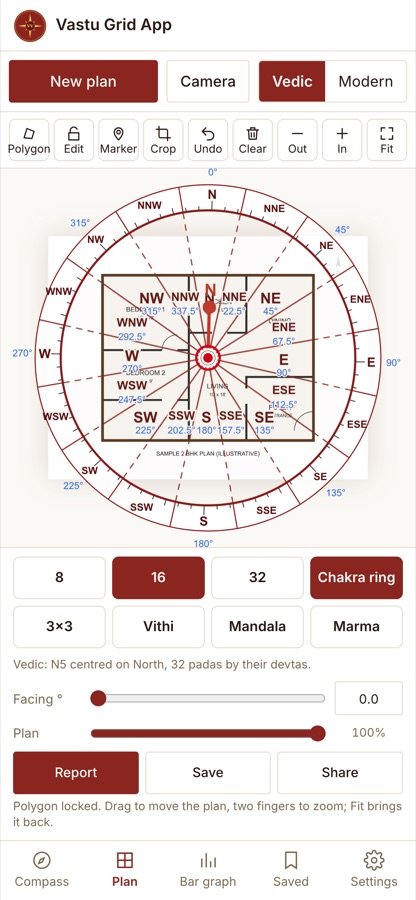
The Vastu Grid App puts the Vastu grid on your phone. Open mapp.vardhinivastu.com, upload a floor plan or take a photo of it, tap the corners of the plot and close the polygon. The 16 zones appear at once, and you switch on the 8 directions, the 32 padas, the 3×3 grid, the vithis or the chakra ring with one tap.
It is made for quick work at a site visit or on a call: no forms, no analysis text, just the grid on the plan and a clean report under your own name.
What the Vastu Grid App does
- Upload a plan or take a photo with the camera; crop it to the part you need
- Plot the polygon by tapping the corners, then press Close; Pan moves the plan while you mark
- 8, 16 and 32 divisions, the 3×3 grid, the vithis, the mandala and marma
- The chakra ring round the property, with degrees
- Turn North with a slider or type the facing degree
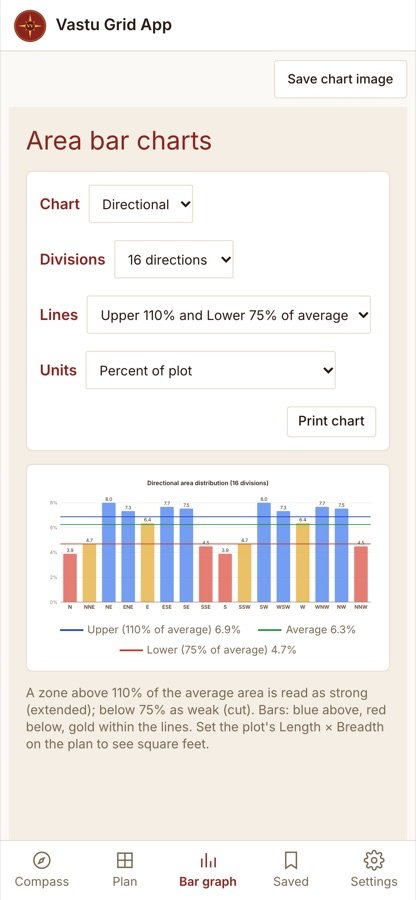
- The zone bar graph, and the plan saved or shared as a picture
Vedic or Modern gridding
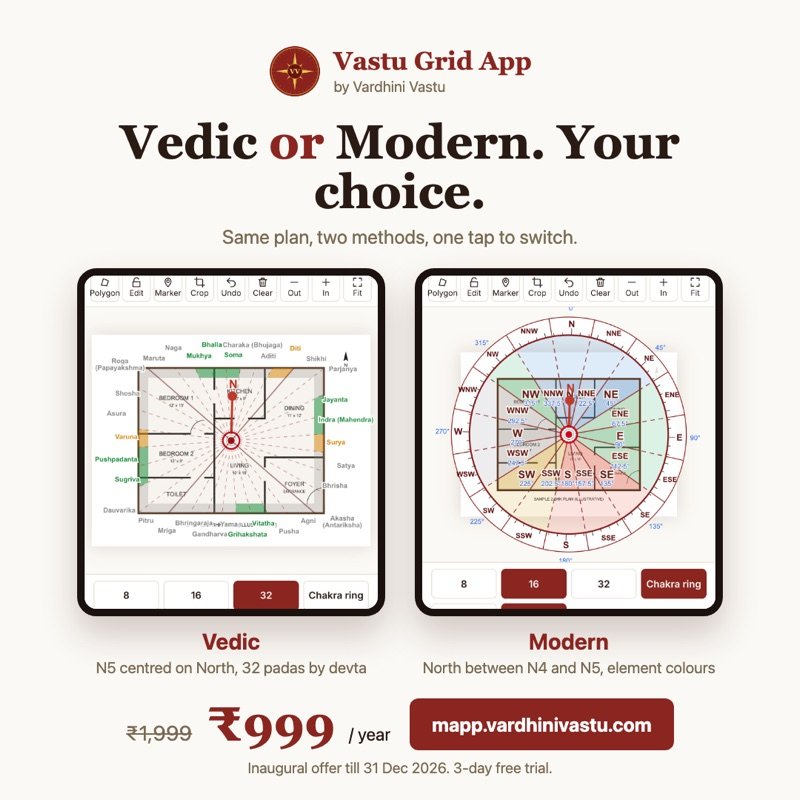
One tap switches the method, and the plan redraws at once.
- Vedic: North at the centre of N5, the 32 padas named by their devtas, and a chakra ring with the 32 padas
- Modern: North between N4 and N5, the 32 entrances N1 to W8, and the 16 zones in their element colours
A report under your name
Press Report and the app makes a PDF on your phone: a cover with your name and phone, then the 8, 16 and 32 division sheets, the 3×3 grid, the 4 vithis for Vedic, and the bar charts of the zones. Each sheet carries your name and logo in a title strip at the foot. The app is named only in one small line.

Your plans stay on your phone
Saved properties live on your phone, not on our server. The app works offline for up to 7 days after you open it with a connection, so a site visit with a weak signal is not a problem. Each account works on one device.
Price and how to start
- ₹999 a year, inaugural offer until 31 December 2026
- ₹1,999 a year from 1 January 2027
- 3-day free trial from the moment you sign up
- Open mapp.vardhinivastu.com on your phone
- Sign up with your name, email, WhatsApp number and a password; the 3-day trial starts at once
- To keep using it, pay by UPI or bank transfer and send the screenshot on WhatsApp to +91 97391 05574
For full client work on a computer, see VIDS™ Pro. All our products are on the Vastu software page, and the free 16 Zone Vastu Chakra Tool needs no sign-in.
Frequently asked questions.
What does the Vastu Grid App cost?
₹999 a year as an inaugural offer until 31 December 2026, and ₹1,999 a year from 1 January 2027. It starts with a 3-day free trial.
Does it need an app store?
No. Open mapp.vardhinivastu.com in your phone browser and add it to your home screen.
Does it work without internet?
Yes, for up to 7 days after you open it once with a connection. Connect once to renew the 7 days.
Can I use it on a laptop?
It is made for phones and tablets, and each account works on one device. For a computer, see VIDS™ Pro.
Whose name is on the report?
Yours. The report carries your name, phone and logo; the app is named only in one small line at the foot.
Have a property here you want assessed?
Share the property type and a floor plan on WhatsApp for an exact quote and the next available date.